

Deploy from the CLI
Use the CLI when you want version control, custom dependencies, or local editor tooling. If you don’t have a local project yet, follow the Functions quickstart.1
Define the Function in your entrypoint
- Stagehand
- Playwright
Node.js
2
Publish the entrypoint
builtFunctions[].id). Save that ID for invoke.3
Attach the Secrets
If the Function reads Secrets, attach them. The Stagehand example reads Attach each Secret one time. New versions of the Function keep the attached Secrets.
BROWSERBASE_API_KEY:Deploy from the Playground
The Playground lets you write and publish a Function without a local project. Test Stagehand or Playwright code in a live browser, define input parameters, then publish.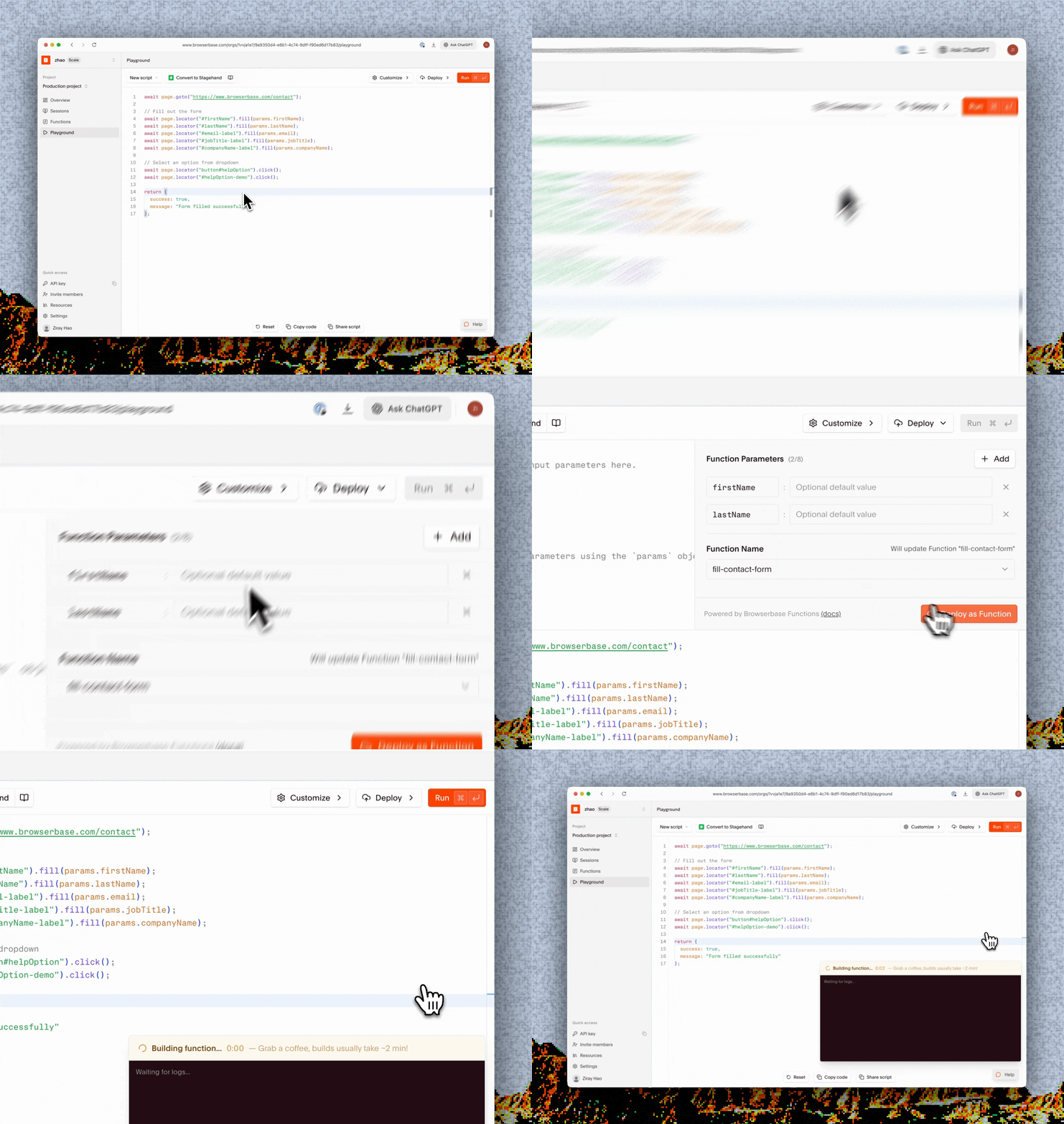
1
Open the Playground
Open the Browserbase dashboard, then select Playground.
2
Write the browser script
The editor starts with a Stagehand template. Write the browser logic that the Function will run:The Playground provides
Playground
connectUrl, sessionId, apiKey, and z as globals. Use Convert to Stagehand to convert a Playwright script.The Playground does not compile TypeScript. Your code runs as JavaScript, so type annotations, interfaces, and casting will throw a SyntaxError. When you publish, the Playground puts your script into an index.ts file.
3
Test the script
Select Run. The Playground creates a browser session, runs the script, displays its output, and opens a live browser view.Use the console output and live view to fix the script before you publish it.
4
Define Function parameters
Open Deploy, then add inputs under Function Parameters: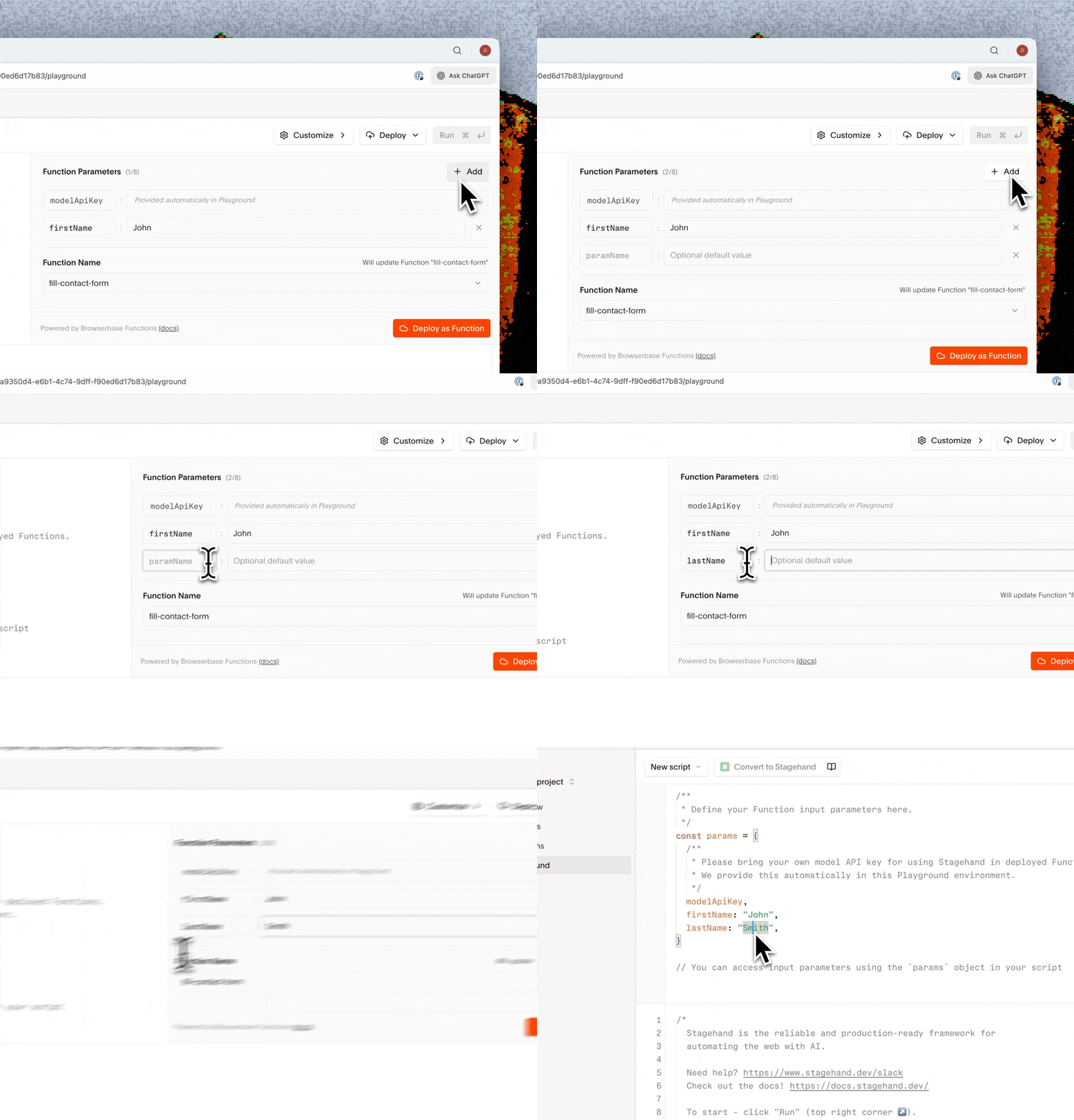
params:Playground
Run doesn’t populate
params. Use a literal value while you test, then replace it with params.<name> before you publish. You can define up to eight parameters.5
Publish the Function
In the Deploy panel:
- Enter a Function name.
-
Select Deploy as Function.
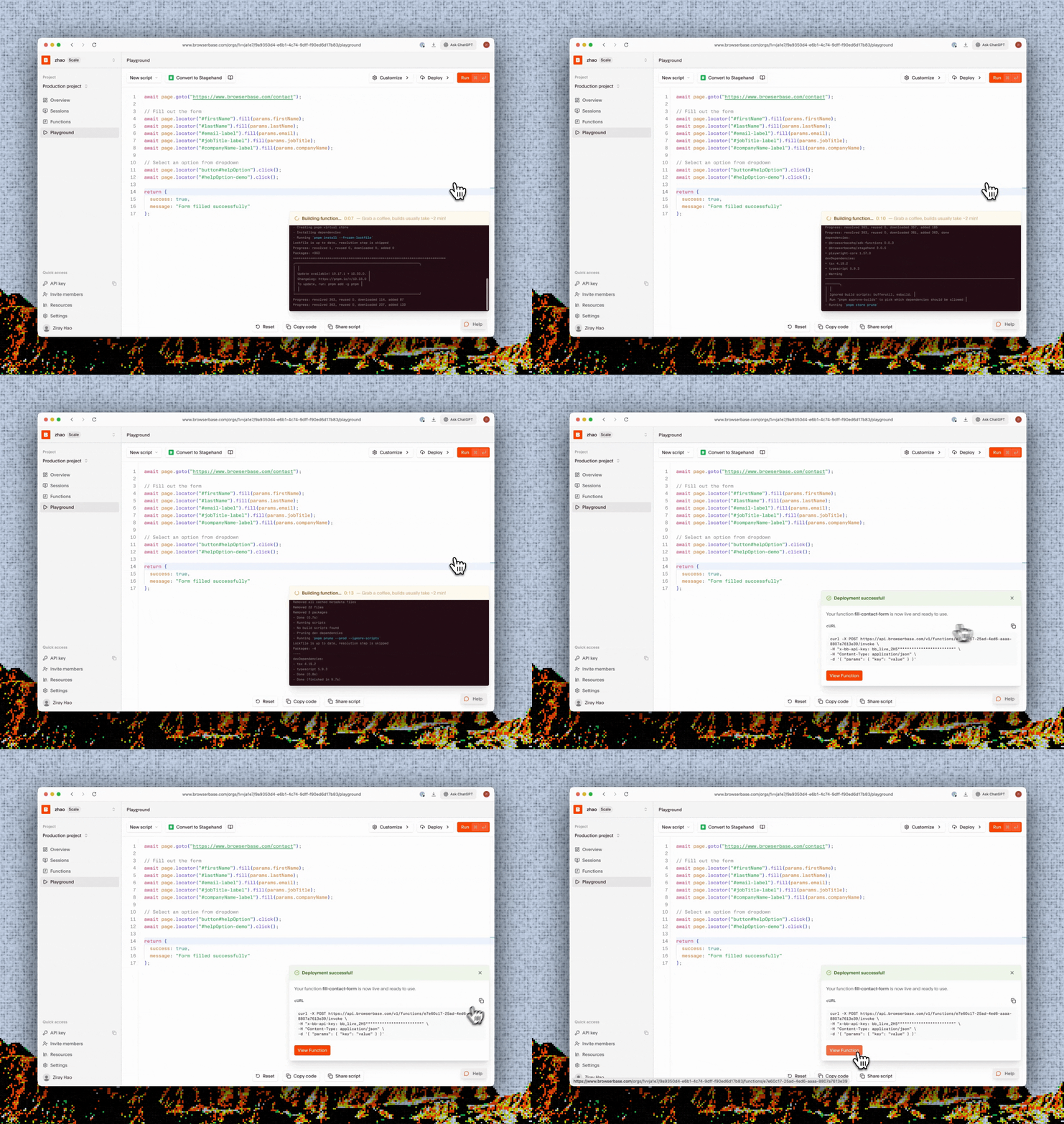
After you deploy
Open Functions in the dashboard to:- Copy the Function ID and invoke command.
- Review builds, versions, and invocation history.
- Inspect invocation logs and browser sessions.
- Delete a Function.
Invoke a Function
Pass parameters and retrieve asynchronous results.
Write a Function
Configure schemas, browser settings, and multiple Functions.